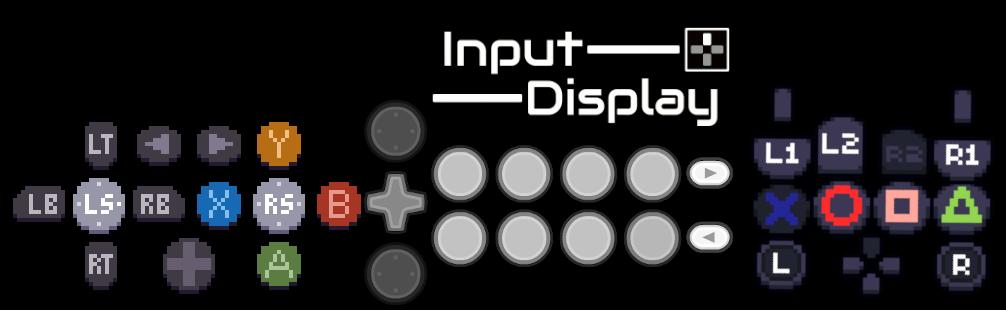
This is really handy! I've tried out a bunch of different input display tools, but the button layouts were always just a tiny bit off. This is the first option I've found that gives you complete control over button placement/size/orientation. Not sure if I'll ever be able to go back!
It might just be me being dumb, but is there a way to have the program automatically load a specific save file on startup? It's a minor complaint, but having to manually load my profile each time is just a tiny bit inconvenient. Sorry if this is just me overlooking something obvious!
It would also be nice if you could change the highlight color of the active buttons separate from the button colors themselves. Having black buttons that light up green when active, for example. And being able to resize the application window would be handy too, though these last two would just be icing on the cake.
But nitpicks aside, this is absolutely fantastic. Thanks for your hard work! <3
Quickly enabled the resizing just now, not sure why i turned it off to begin with, might do automatic load later, changing highlight colour is a bit more complicated because of how im changing their colours to begin with.
Hell yeah, thanks! And I wouldn't worry about the highlight color if it's too much of a pain. The default already has pretty good contrast to begin with, so readability is perfectly fine.
So I've been playing with it more. I was wondering if it's possible to remove inputs that aren't being used? I like this tool a lot for fighting game streams(especially since this is the first input display tool that actually tracks history), so being able to get rid of the analog sticks would be awesome. But I did find a work around. Just moving them into a corner and cropping that section out in OBS.
yea! you can shrink their size to 0 when editing your layout or change their alpha channel on the recolor option to 0. :)) updated today to add text alignment and ability to disable unwanted inputs from input stream
← Return to tool
Comments
Log in with itch.io to leave a comment.
This is really handy! I've tried out a bunch of different input display tools, but the button layouts were always just a tiny bit off. This is the first option I've found that gives you complete control over button placement/size/orientation. Not sure if I'll ever be able to go back!
It might just be me being dumb, but is there a way to have the program automatically load a specific save file on startup? It's a minor complaint, but having to manually load my profile each time is just a tiny bit inconvenient. Sorry if this is just me overlooking something obvious!
It would also be nice if you could change the highlight color of the active buttons separate from the button colors themselves. Having black buttons that light up green when active, for example. And being able to resize the application window would be handy too, though these last two would just be icing on the cake.
But nitpicks aside, this is absolutely fantastic. Thanks for your hard work! <3
Quickly enabled the resizing just now, not sure why i turned it off to begin with, might do automatic load later, changing highlight colour is a bit more complicated because of how im changing their colours to begin with.
Hell yeah, thanks! And I wouldn't worry about the highlight color if it's too much of a pain. The default already has pretty good contrast to begin with, so readability is perfectly fine.
Autoload should be in on non HTML versions :))
Hey, this is a really cool tool. I've been wanting a input display tool that showed input history.
So I've been playing with it more. I was wondering if it's possible to remove inputs that aren't being used? I like this tool a lot for fighting game streams(especially since this is the first input display tool that actually tracks history), so being able to get rid of the analog sticks would be awesome. But I did find a work around. Just moving them into a corner and cropping that section out in OBS.
yea! you can shrink their size to 0 when editing your layout or change their alpha channel on the recolor option to 0. :)) updated today to add text alignment and ability to disable unwanted inputs from input stream